AI-integrated production tracking · without touching your machines
From raw material to dispatch, every step on record.
Production tracking software for food and batch manufacturers: HACCP records, traceability and audit documents in one place; our own AI, iMES, catches the drift.
Scroll down
at a glance
One record forevery batchevery stoppageevery measurementevery shipmentin your factory.
- AI-integratedTraditional tracking systems record; iMES reads the record and tells you about the drift.
- Without touching the machineNo PLC link, no work in the control cabinet, no cables.
- Built for your plantSet up for your line, linked the way your ERP expects, tuned on your own records.
- Data stays in the buildingThe server is in your plant; recording continues even without internet.
Your factory's memory.
- One trail from raw material to case
- Audit documents in one click
- Without touching the machine
- Data stays in the building
- iMES warns before it becomes a loss
- Re-tunes its threshold from your feedback
- Comes back by itself after a power cut
The survey takes half a day, can be done remotely and commits you to nothing.
- Installation is a single command and reversible; for the first month we stay with your line, on site or remotely.
- User handbook (in Turkish)You can read the customer handbook before the demo.
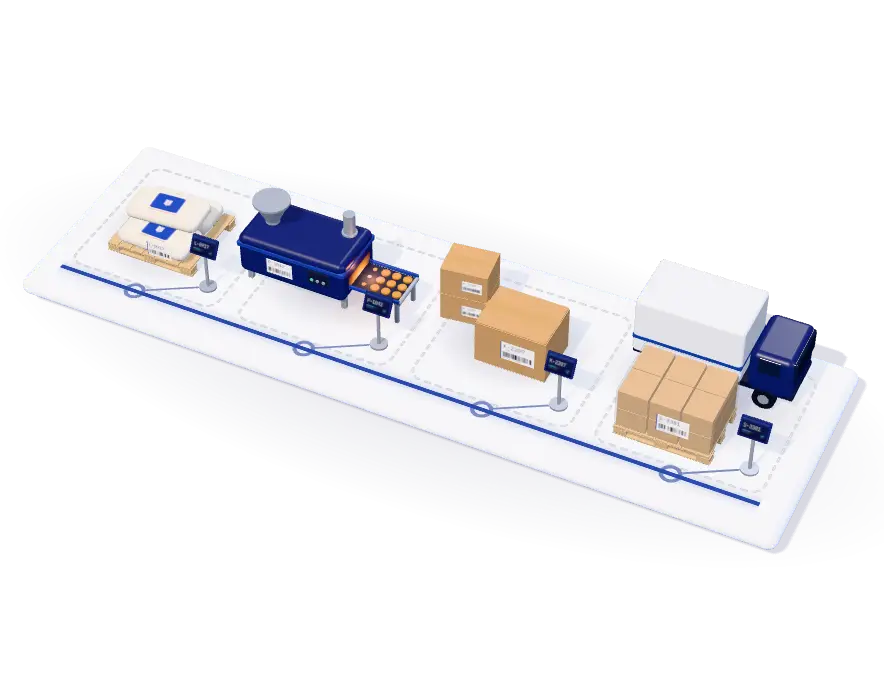
Pick a row to trace back and forward from that point.
- Trace back
- Supplier and date of receipt
- Trace forward
- P‑1042, K‑2207, S‑3381, customer M‑14: the scope of a recall
- Trace back
- L‑0917 and its supplier
- Trace forward
- K‑2207, S‑3381, customer M‑14
- Trace back
- P‑1042, L‑0917 and its supplier
- Trace forward
- S‑3381, customer M‑14
- Trace back
- From each case: K‑2207, P‑1042, L‑0917, supplier
- Trace forward
- Customer M‑14
Mass balance · L-0917
In 100 kg = used 96 + scrap 3 + remaining 1. The balance holds.More used than came in: used 104 kg, in 100 kg (4% over). The sack ran out and the new one was not scanned; left like this, a recall would blame the wrong batch. The alert went to that station.
Everyone looks at their own screen; all of them read the same record.
Four roles, one recordThe operator sees only their own terminal; the supervisor sees the line, the production manager the boards, the plant manager the definitions and the staff. Nobody can grant themselves a higher role. All four read the same row; nobody keeps a separate file.Who reaches what?For auditors and managers, one click from the record on screen.
Eight documents, one button- Traceability document
- Recall report
- Period summary
- Downtime and loss analysis
- Personnel work report
- Task tracking report
- Shift handover
- Batch production record (eBMR)
Nothing is attached to the machine; no cabinet is opened.
Not a single cable is run to your lineTerminals are placed next to the station and join the existing network; if you remove the system, no trace is left on the line.What does installation require?The operator taps once; time, person, station and batch are recorded automatically.
One touch, a complete recordThe operator only reports that the step is done. Who, when, at which station, which batch: the system writes it all. No separate form, no separate logbook.How is the record made?What the line is carrying right now. How many batches there are and where each one stands — at a glance when the shift starts.
Where the planned time went. Availability, performance and quality separately; you see which one pulls it down.
Stoppages, slow cycles and scrap in one unit. Lost production hours from largest to smallest; it is clear what to look at first.
The latest reading at the critical point. An out-of-limit value is not rejected; it is recorded as non-conforming and raises an alert.
Line stock from the scans. Which lot is nearing its expiry date, and whether there is enough material for open work orders.
A deviation, with its reason. Draining took 2.1 times its own normal on this batch; the alert says first what to do.
In 37 seconds
Your factory's memory, in one film.
Industries
For every facility
that produces in batches.
One core, with parts fitted to your industry. Pick your industry and see your line.
Food
Dairy and cheese
HACCP · CIP · yield- Turned onFood-safety vocabulary (HACCP) · CIP cleaning · planned maintenance · dispatch
- BatchVat and culturing batch; yield is tracked from litres to kilos, and the batch is not lost in the ripening room.
- DocumentsTraceability document, recall report (delivery note, branch, carton), batch production record.
- Turned offScheduling, if the sequence is fixed.
- Control pointIn CCP and OPRP terms; values such as temperature are typed from the machine's own screen.
- TerminalOne touch at the vat: curdling started, draining finished. The pasteuriser temperature is read from the machine's own display and typed in.
- WarningWhen curdling runs above its own normal, when a CIP cycle is left unfinished and when a reading at a critical point falls outside its limit.
- InstallationMilk intake, pasteuriser, curdling, draining, moulding and packing; a typical six-station line is installed while production keeps running.
- Key modulesQuality controlCIP cleaningStock and expiryRecallHoldDispatch
Food
Bakery and biscuits
Case-level trace · expiry- Turned onFood-safety vocabulary (HACCP) · planned maintenance · dispatch
- BatchThe dough batch splits into cartons: forty cartons are recorded with one touch, and the trace is kept per carton.
- DocumentsPer-carton traceability document and recall report.
- Turned offCIP, if you keep no washing records.
- Control pointAn oven step that overruns its target is caught while the job is still running; raw material nearing its expiry date is flagged.
- TerminalThe dough batch is opened and at the oven exit the cases are grouped in one row; forty cases do not need forty taps.
- WarningWhen the oven exceeds its target time, while raw material near its expiry date is still waiting and when non-conforming readings rise towards the end of shifts.
- InstallationDough preparation, oven, cooling and packing; you start with four stations and extend the line later.
- Key modulesBatch trackingQuality controlGolden batchStock and expiryRecallDispatch
Food
Beverages and bottling
CIP · filling-line stoppages- Turned onFood-safety vocabulary (HACCP) · CIP cleaning · planned maintenance · dispatch
- BatchThe syrup-tank batch splits into cases at filling; tank blends are traced in the genealogy and the trace is kept per case.
- DocumentsTraceability document, recall report (dispatch slip, delivery point, case) and batch production record.
- Turned offScheduling, if the sequence is fixed.
- Control pointMeasurements such as fill volume or cap tightness are entered with their limits; the screen speaks in CCP and OPRP terms.
- TerminalA stoppage at filling is reported from the terminal and its reason picked from the plant's own list; with a camera installed, the camera captures its start and length.
- WarningWhen filling runs above its own normal, when a CIP cycle is left unfinished and when the camera at filling goes silent.
- InstallationSyrup preparation, filling, capping and packing; if you wish, an IP camera watches the filling station and the machine is not touched.
- Key modulesCIP cleaningDowntime analysisCameraQuality controlDispatchRecall
Production
Contract manufacturing
Work order · schedule · finish time- Turned onScheduling (the sequence is built by a solver) · planned maintenance; food vocabulary off, the screen speaks in sector-neutral terms.
- BatchPer work order and customer; progress is read from a single source, and the finish time comes from the measured pace.
- DocumentsTraceability document per customer batch; production summary in Excel.
- Turned offDispatch, if you do not ship the product yourself; CIP.
- Control pointThe measurement the customer asks for is entered with its limits; the screen shows “critical” and “monitored” points.
- TerminalEvery work order opens with its own customer; when the operator finishes a step the order moves to the next station by itself.
- WarningWhen batches pile up in front of a station and when a step runs past its target time; a job that will miss its due date turns amber on the overview.
- InstallationThe number of stations varies by customer; the scheduling module builds the sequence with a mathematical solver.
- Key modulesBatch trackingReportsQuality controlRecallScheduling
Production
Cable and wire
Measurement · traceability- Turned onPlanned maintenance · dispatch · scheduling, if there is more than one line.
- BatchTrace runs both ways, from raw-material lot to finished batch; quantity always carries its unit, metre by metre.
- DocumentsRecall works for a faulty cable batch too: which delivery note, which batch.
- Turned offFood vocabulary and CIP: a cable plant keeps no washing records.
- Control pointMeasurements such as diameter or tensile test are entered as control points with limits.
- TerminalDrawing, insulation and winding steps are closed in metres; quantity is always written with its unit.
- WarningWhen the cycle slows batch by batch, when a diameter or tensile reading falls outside its limit and when stoppages get more frequent.
- InstallationDrawing, insulation, winding and packing; nothing is attached to the machines and no panel is opened.
- Key modulesQuality controlRecallDispatchSchedulingPlanned maintenance
Production
Metal and spare parts
Route · loss · maintenance- Turned onPlanned maintenance (statutory safety checks with their legal basis) · scheduling · dispatch.
- BatchWork order and part lot; flow by route and station, Pareto by cause and the loss ledger.
- DocumentsDowntime and loss analysis and the task tracking report; the maintenance plan and equipment record on screen.
- Turned offFood vocabulary and CIP.
- Control pointNumeric values such as dimensions with their limits; an overrun at a critical point raises a critical alert, and the foreman puts the batch on hold.
- TerminalThe work order is opened at the machine; measured values are read from the machine's own display and typed into the terminal.
- WarningWhen a machine exceeds its target time, when batches pile up in front of a machine and when stoppages become both more frequent and longer.
- InstallationOne terminal per machine; the planned-maintenance module opens its own tasks according to the calendar.
- Key modulesSubcontractingPlanned maintenanceDowntime analysisQuality controlSchedulingIntegration
Production
Chemicals and cleaning products
Recipe · lot · expiry- Turned onPlanned maintenance · dispatch · scheduling, if there is more than one line.
- BatchThe recipe mix batch links itself to the raw-material lot put into use at the station.
- DocumentsRecall report: the batches a suspect lot went into, those shipped and those still in the plant; batch production record.
- Turned offFood vocabulary; CIP, if you keep no tank-washing records.
- Control pointMeasurements such as pH or density with their limits; an out-of-limit value is not rejected but recorded as non-conforming.
- TerminalScanning a raw-material lot's barcode puts it into use at the station; the instructions show material quantities calculated from the recipe.
- WarningWhen mixing runs above its own normal, when an out-of-limit reading is entered and when a batch on hold is scanned.
- InstallationWeighing, mixing, filling and packing; recipes and control points are defined during installation.
- Key modulesStock and expiryHoldQuality controlRecallGolden batch
Production
Plastics and packaging
Downtime · maintenance · scheduling- Turned onPlanned maintenance · scheduling (with product changeover times) · dispatch.
- BatchBatches per work order; quantity is written in the product's own unit: kilos, metres or pieces.
- DocumentsDowntime and loss analysis, traceability document and period summary.
- Turned offFood vocabulary and CIP.
- Control pointMeasurements such as wall thickness or grammage with their limits; the terminal asks the operator for each reading when it falls due.
- TerminalStoppages such as a mould change or waiting for material are picked from the plant's own list of reasons; the time comes from the server.
- WarningWhen extrusion runs above its own normal, when the cycle slows batch by batch and when batches pile up in front of printing.
- InstallationExtrusion, printing, cutting and packing; changeover (setup) times between products are entered once and the schedule builds the sequence with them.
- Key modulesDowntime analysisPlanned maintenanceSchedulingQuality controlCamera
Your facility
Not on the list?
Half-day survey · on site or remote- TerminalThe screen opens in sector-neutral language: step, station, batch and quantity. The only thing that changes on the terminal is your own naming.
- WarningThe four time scales work the same in every sector: single deviation, drift, shift difference and bottleneck.
- InstallationSurvey, configuration, mounting and commissioning; the same steps whatever the sector.
- CoreBatch entry, workflow, stations, downtime, staff, alerts, reports and iMES; cannot be switched off.
- OptionalHACCP vocabulary, CIP cleaning, planned maintenance, dispatch, scheduling; a closed module shows neither its screen nor its data endpoint.
- ModulesDetails of every module
The core is on in every facility: batch entry, workflow, stations, downtime, personnel, alerts, reports and iMES. The HACCP vocabulary, CIP cleaning, planned maintenance, dispatch and scheduling are switched on per facility; a module that is off shows neither its screen nor its data endpoint.
Modules
Six areas.
One ledger.
Six separate programs mean six versions of the same truth. Here all six read one line.
Note: the software itself — screens, reports and documents — is currently in Turkish only.
From the shop floor to the report, a module for every step
Each module answers one question: where is the batch, why did the line stop, who did this lot go to. Click a module for the details.
-
Production
Batch tracking and traceability
-
Production
Operator panel
-
Production
Overview
-
Production
iMES AI
-
ProductionOptional
Scheduling
-
Machines
Downtime and loss analysis
-
MachinesExtra setup
Camera downtime detection
-
MachinesOptional
Planned maintenance
-
Quality
Quality control and HACCP
-
QualityOptional
CIP cleaning
-
Quality
Hold and release
-
Quality
Recall and genealogy
-
Quality
Golden batch
-
Quality
Checklists and audit log
-
Material
Stock and expiry
-
MaterialOptional
Dispatch and delivery notes
-
Material
Subcontracting and external workshops
-
Team
Team, tasks and shift handover
-
Reports
Reports and documents
-
Reports
Integration and data assurance
-
Template
A template that fits you
Why us
Three differences,
eight questions.
Three things set us apart
Without touching the machine
Nothing is attached to the machine.
We do not connect to the PLC, we do not enter the panel, we run no cable. Values such as temperature are read from the machine's own display; if a camera is used it sees movement only. The machine warranty and its control loop stay untouched.
Data stays in the building
The data never leaves the building.
The server is the factory's own computer and the firewall opens only to the local network. A cloud is not required, and the production record keeps running if the internet drops. Your yields and your customer list do not sit on a software company's server.
AI-integrated
It doesn't just record. It reads.
Traditional production tracking systems record and wait for someone to read the report. iMES, the AI we built ourselves, reads every record; it flags the drift before the outcome and writes down what it is based on.
How this differs from a typical MES
Eight questions to ask a production system
-
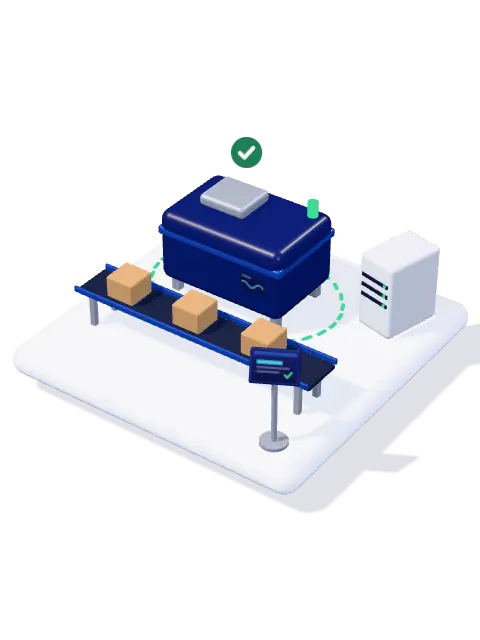
What does installation require?
btg Smart Factory: Without touching the machine, without stopping the line.
-
Where does your data live?
btg Smart Factory: On your factory's own computer.
-
When does it tell you?
btg Smart Factory: While the job runs, without waiting for month end.
-
Does it turn into a flood of alerts?
btg Smart Factory: There is a ceiling on the number of alerts.
-
What runs next on which machine?
btg Smart Factory: A constraint solver proposes the sequence.
Scheduling Optional
-
What happens when a breakdown is near?
btg Smart Factory: When stoppages get worse, a task opens.
Planned maintenance Optional
It catches the drift and writes the rest itself.
The AI we built ourselves. It learns normal from your data, looks for deviation on four time scales, re-tunes its threshold from your “false alarm” feedback and writes down the reason for every alert. It comes with the product; no separate licence.
iMES
Before you notice
you have slowed down.
It uses no ready-made table: it learns normal from your own history, because no plant is another plant's normal.
Everyone sees a stopped line. No one sees the one that slows by two seconds a day. Three months later part of your capacity is gone; iMES catches that drift in the record.
Three paths, one AI.
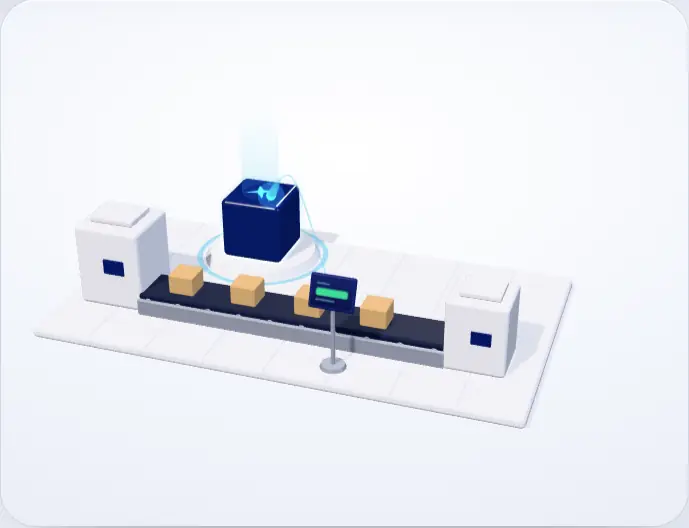
The AI stays the same. Data reaches it by three paths; you pick the one that fits your line.
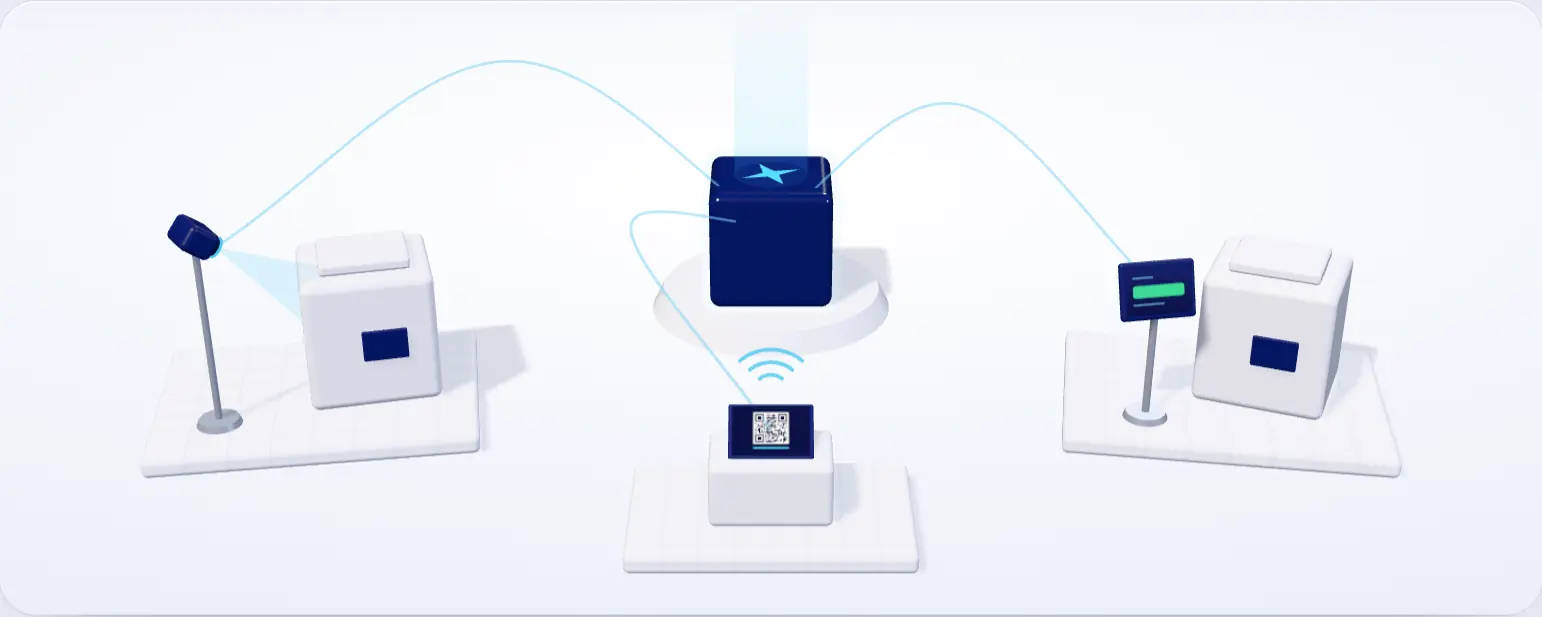
With camera · optional
Downtime stops being a declaration and becomes evidence.
The camera sees only movement: when a stoppage started and how long it lasted come from it, while the operator picks the reason. If the camera goes quiet, reporting returns to the operator.
Manual entry · checked
The operator enters it, the system checks it.
The operator who finishes a step presses one button and reports the stoppage too. If a measurement falls outside its limit the screen shows it before saving; a wrong value does not slip through.
Remote · sensorless
Installed remotely, watched remotely.
No camera, no sensor, no cable. The data comes from the operator's declaration, and a terminal is bound to its station by scanning a QR code. The management screens can also be opened from outside through a single authenticated address.
- Shared by both
- Same event record
- Same dashboards
- Same iMES
All three write the same record, land on the same dashboards and are read by the same AI. One station can use a camera, another manual entry; you can change it later.
Security and data
A system that never
leaves the building.
Data stays in the building
The database sits on the factory's own computer and the firewall opens only to the local network. The server starts at boot and comes back by itself after a power cut. Backups run automatically every six hours and are also written to the second disk given at setup.
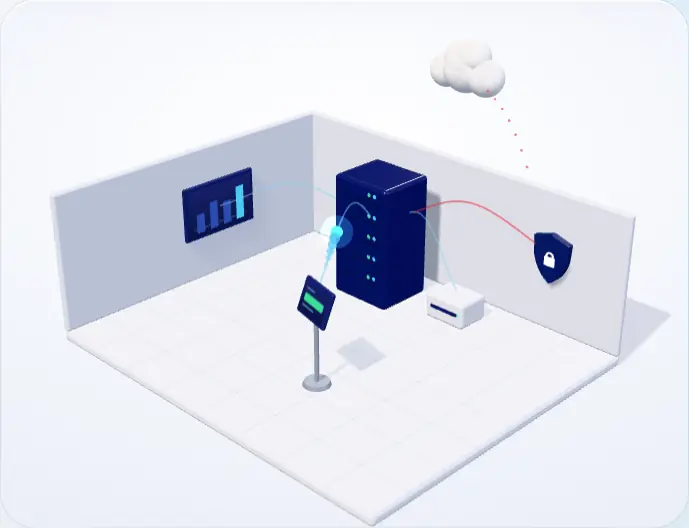
Your yield is competitive information. It stays in your building, not on a software company's server.
Questions
The questions we hear
most on the floor.
Short answers; we show the detail on screen when we meet.
A monthly subscription; the price varies with how many stations get a terminal and which modules are switched on. Installation is a separate one-off item. Because you can start with a single line, the entry cost is lower than equipping the whole factory. We give a firm written quote during the demo call.
Your data stays with you: a single SQLite database file on your factory's computer, backed up every six hours, with the last 30 backups kept. Fourteen days after the subscription ends, only adding new stations and personnel is switched off; scanning, production records and Excel and PDF reports keep working. The subscription check runs offline; the system never needs to reach us.
If you want to, yes: the management screens open from a single authenticated address. No port is opened; only the e-mail addresses you allow get in, with a one-time code. Tablets do not use this route. It is not required and can stay closed.
Yes. The server is inside the factory; dashboards open over the local network. Even if the network drops, the terminal holds the scan on itself and sends it once the connection returns. The internet is needed only for optional extras: reports by e-mail, the view from outside and, if you want it, sending events to another system.
No, we attach nothing to the machine. Values such as temperature are read off the machine's own display and entered on the terminal — the same number that goes into the logbook today, except that it no longer gets lost. Nothing changes on the warranty or calibration side.
They are imported. Your product, station, route, personnel and work order lists are brought in from Excel; reports still come out as Excel and PDF. Nobody has to learn a new file layout.
The main path is one touch: when the step ends, “done”. Entering quantity and waste is optional, on the same screen. A batch's cases are grouped on one line; forty cases do not mean forty taps.
The batch production record (raw materials, steps, CCP and OPRP measurements, cleaning and dispatch in one document), the recall report, the traceability document and the period summary — as PDFs with signature fields. The document is produced from the very record on the screen.
In the EU, Article 18 of Regulation (EC) No 178/2002 requires food businesses to be able to identify their suppliers and the businesses they supply — one step back, one step forward; the recall report shows that link from supplier to customer.
Yes: iMES is an AI we built ourselves, but it is not a black box. It learns normal from your data, looks for deviation on four time scales and, when a manager asks, re-tunes its threshold from your feedback. Because it uses no neural network, it shows on screen what every alert is based on; in an audit, the answer to “what did you base that on?” is ready.
No. The application's screens and documents are in Turkish today. If you are outside Türkiye, the first conversation takes place remotely, and we will tell you plainly whether a system with Turkish screens suits your line.
It looks at two signals per machine: are stops getting more frequent, are stops getting longer — comparing the last seven days with the three weeks before. If both light up, the risk shows as high along with what it is based on. It gives no date; you decide when to do the maintenance.
It depends on your line: the number of stations, the product range and the lists you already have. We confirm the timeline after the survey, once we have seen your line. Installation runs alongside production; the line does not stop. After that we stay with your line for the first month, on site or remotely; the anomaly thresholds settle on your own data during that month.
We stay with your line for the first month. After that, signed updates are loaded from the management panel's update tab: unsigned files are refused, a backup is taken first, and a version that fails to start cleanly is rolled back automatically. With your permission we can reach the management screens remotely through an authenticated address; tablets never use it.
No. The batch number can be typed in by hand on the terminal; the number typed is valid on the station terminal too, and the batch drops into the next station's list by itself. A scanner speeds things up but is not required — you can decide by looking at the “unrecognised number” rate in the first month.
It does not. When the terminal cannot reach the server it holds the scan on itself and sends it once the connection returns. The server is a service that starts at boot; after a power cut it comes back up on its own. Backups are taken automatically and also written to the second disk given at setup.
Alerts land on the dashboards and the bell: the foreman and the manager see them on their own screens, and the same dashboard opens on the phone; at shift handover an open alert is written to the person taking over. The weekly production report arrives by e-mail as a PDF every week for any manager who asks for it.
No. The core is on in every facility; the HACCP vocabulary, CIP cleaning, planned maintenance, dispatch and scheduling are switched on or off per facility. A module that is off shows neither its screen nor its data endpoint.
Operator training happens inside the shift, at the line; production does not stop. Because the main path is one touch, there is a single screen for the operator to learn. Dashboards and role-based permissions for the manager and supervisor are set up separately, together with you. A new operator can be brought up to speed by the foreman.
Through a file bridge. Work orders are read automatically from the file your ERP drops into a folder; the end-of-day production list is written to the same folder as CSV or xlsx. Product, station, route, personnel and work order lists come in from Excel. If you want, selected events go, signed, to an address you give, and a read-only API key can be issued for Power BI or Excel. There is deliberately no live ERP connection; the installation does not wait for one.
Each plant is installed with its own server and its own definitions; station names, routes and control points differ per plant. The data stays inside the plant. If you want to compare plants on a single screen, that is a separate piece of work and is not part of the product today.
Which clause, which record.
What the clauses asked about in an audit require, and what the system records for each. Not a compliance claim; the record itself.
- Batch production record (eBMR)Law 5996 Art. 24(1)Reg. (EC) 178/2002 Art. 18
- Traceability documentLaw 5996 Art. 24(1)FSMA 204 Subpart S
- Recall reportOfficial Controls Reg. Art. 39(1)(ç)Reg. (EC) 178/2002 Art. 18Reg. (EC) 178/2002 Art. 19
- Mass balanceOfficial Controls Reg. Art. 39(1)(ç)IFS 8 · BRCGS 9 cl. 4.18 · cl. 3.9
- HoldReg. (EC) 178/2002 Art. 19
- Excel · CSVFSMA 204 Subpart S
- Forward and backward traceIFS 8 · BRCGS 9 cl. 4.18 · cl. 3.9
Clauses are shortened from their official texts; each link goes to the clause itself. This mapping is not legal advice.
Company
The team that writes it
is the team that installs it.
We don't sell licences. We install a system on your line that runs on our own AI and keeps its data with you.
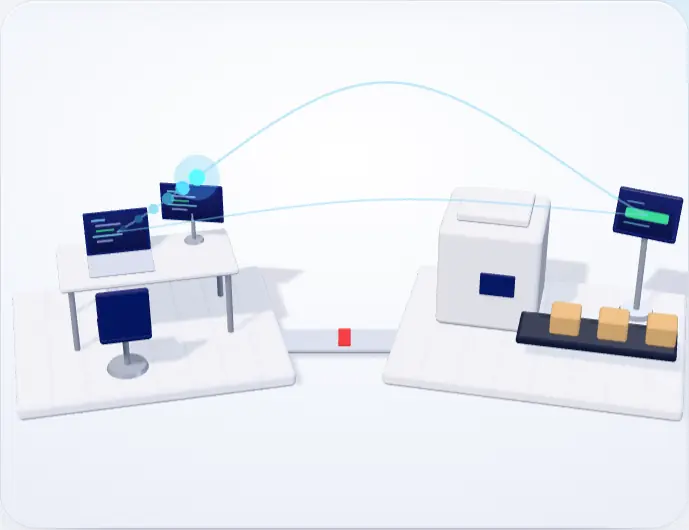
Mission
In every facility that produces in batches, to put each step on record from raw material to dispatch and to name the line's deviation before the outcome arrives — without touching the machine, without taking data out of the building, without adding work to the operator.
Vision
To turn the traceability of large plants into a system that is installed inside a mid-sized manufacturer's own building and states the reason behind every decision.
One address for everything.
What we do
We build the software ourselves and install it, on site or remotely. No change has to wait for a third company.
How we work
First we map the line with you, then we define it using the names you already use.
Contact
Let's talk about your line.
We need three things: which products, how many stations, which records you keep today. We show the screens running, with your own product names; no slides.
After the first conversation, the survey takes half a day — on site in Türkiye, remotely elsewhere — and commits you to nothing.
Phone
We will call you
Leave your number; let us talk through your line in ten minutes.
Create a call request Message us on WhatsAppkurumsal@btgtech.net
If you attach your product list and a sample shift form, the first conversation goes faster.
Demo
On site or remote
We open the screens with your own product names and walk you through them; the sample data is ready.
Pricing
What is the price based on?
Number of stations
The price is set by how many stations get a terminal and which modules are switched on. It is a monthly subscription; no licence is purchased.
You can start with one line
There is no need to equip the whole factory at once. You can start on one line, see it work and then extend.
Installation is a separate item
Survey, configuration, mounting and training make up a one-off installation fee. The on-site survey is free and commits you to nothing.
Because the exact figure depends on the number of stations, we give a firm written quote during the demo call.